Your site.
Your crew.
One request to your connected corporations. Choose candidates, complete signatures and review every day in the account.
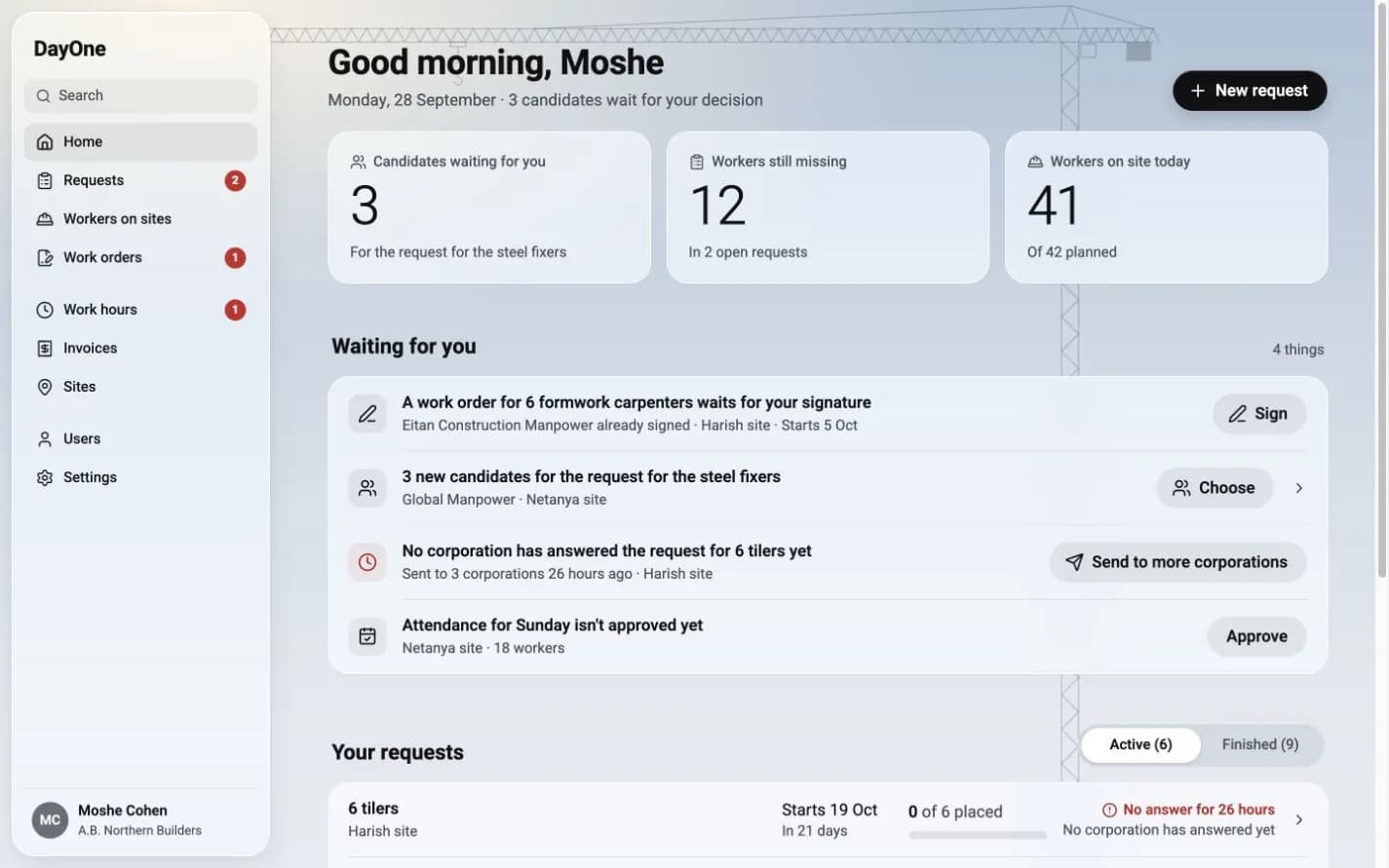
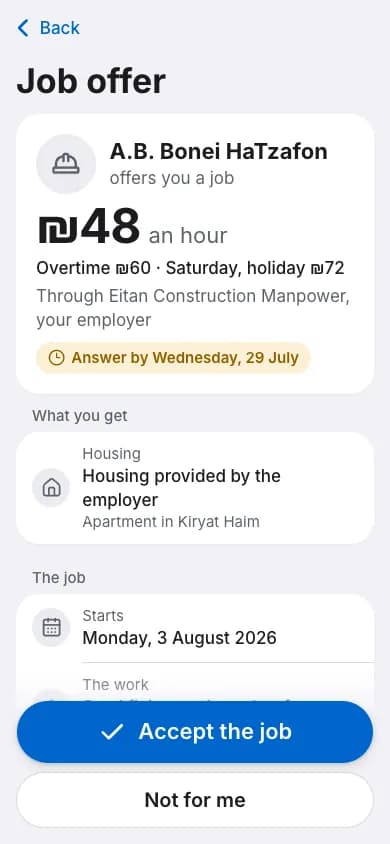
Without DayOne
Another call. Another message. The same question.
With DayOne
One request. Clear candidates. One signature.
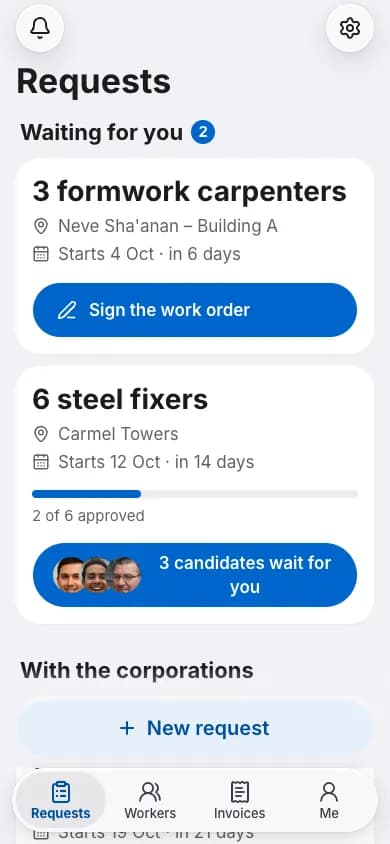
- Request sent
- Candidates ready
- Order signed
After worker acceptance and signatures
A dramatized everyday exchange, not a customer conversation.
For contractors
A worker with a rating.
More than promises.
Experience, hourly rate and a rating when available on the worker’s record.
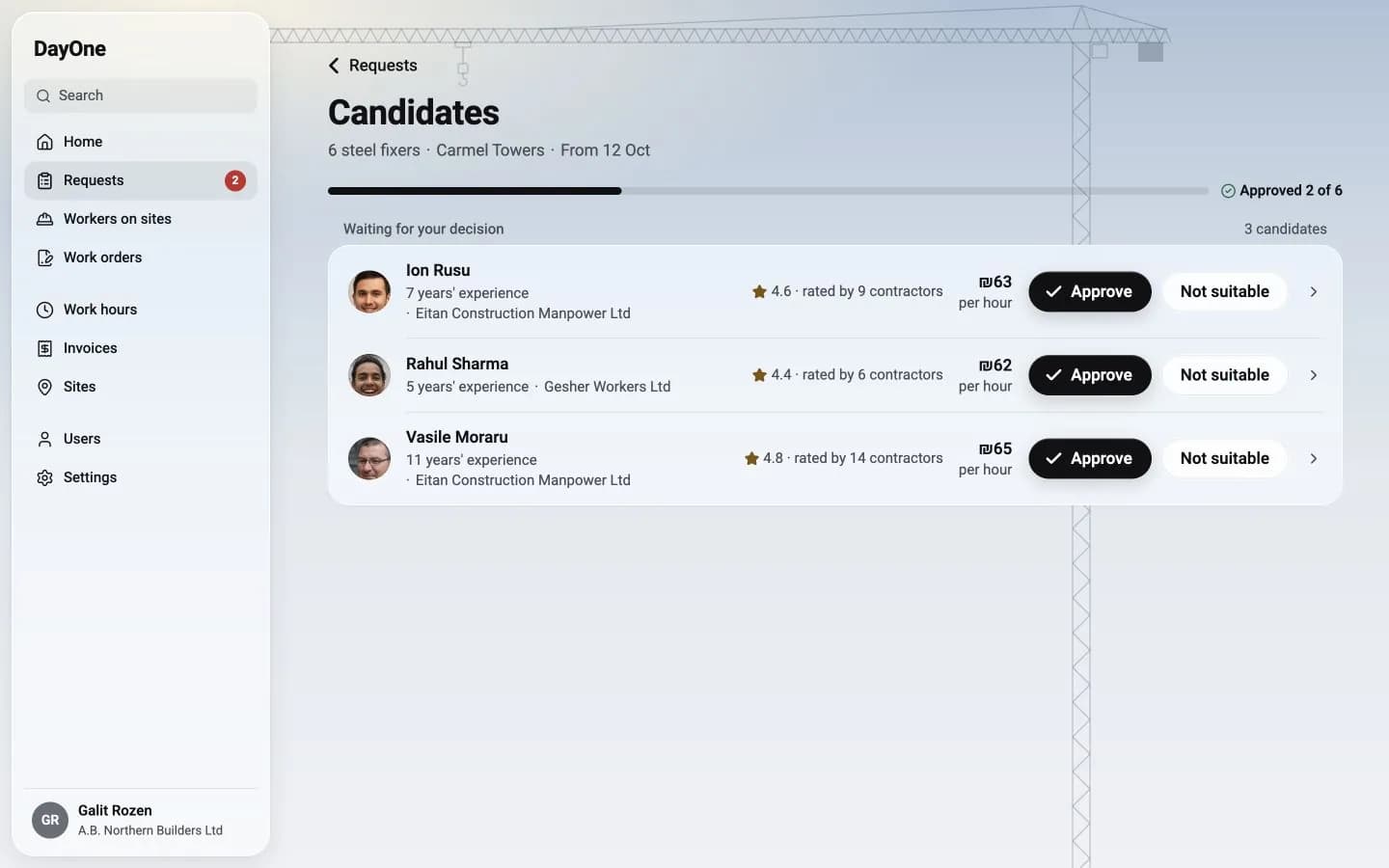
Who’s free tomorrow?
See it now.
Your connected corporations receive the request. They propose available workers. You choose.
Example data. Choosing a candidate is not final placement: worker acceptance and signatures are required.
Opens on your phone. No installation.
Three clear
stages.
The worker accepts, the corporation signs, then the contractor signs with a code.
Opens on your phone
Everything waiting in one place
Signatures verified by phone code
Field records saved without reception
Your request
From request to work- Request sent
- Candidates chosen
- Order signed
Actions include details and verification.
For workers and site managers
Clock in on your phone.
Even underground.
Attendance and day approvals are saved without reception and sent when the connection returns.
Accepts the job himself
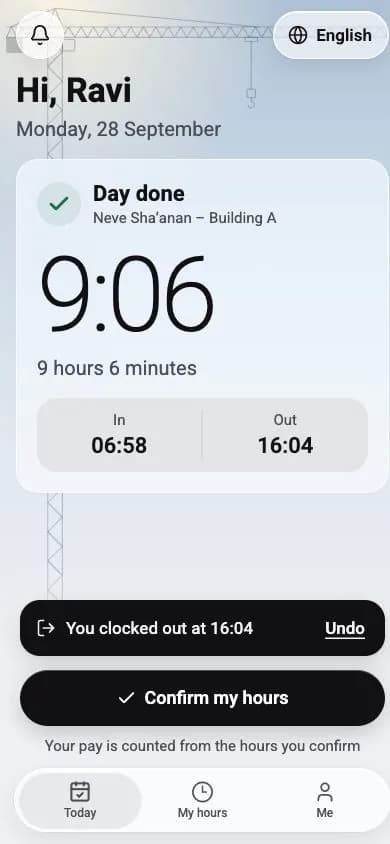
Clocks in and out with a tap
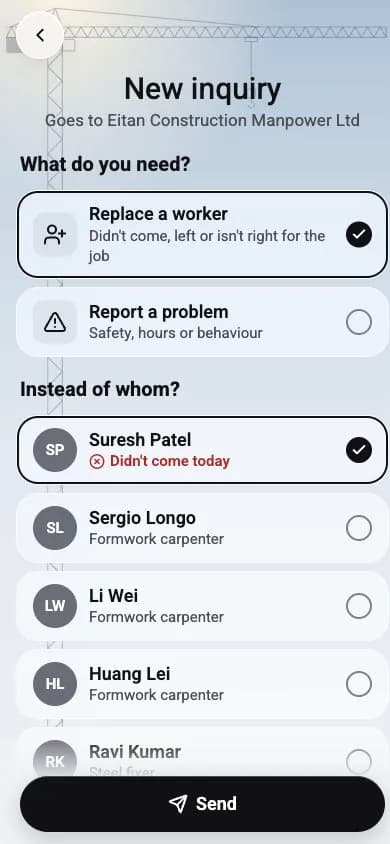
Requests a replacement on site
Pay for hours.
No guesswork.
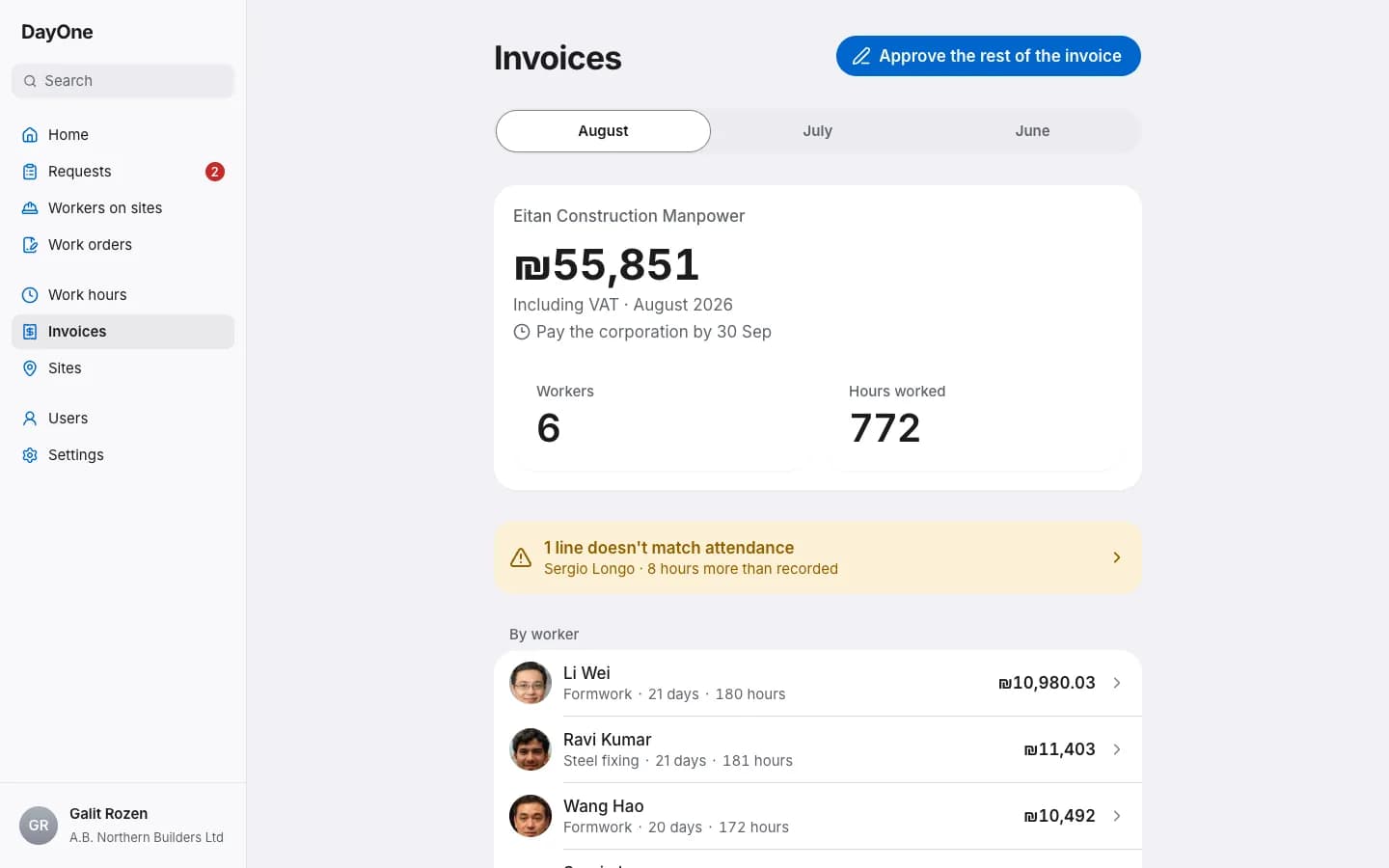
Hours are recorded on site and reviewed. The monthly account uses approved hours, with a breakdown for each day.
Worker
8 hours 36 minutes
Worked time, after the break
Site manager
06:58–16:04 · 8:36
The site manager checks and approves
Monthly invoice
Based on approved hours
After corporation approval. Review and dispute individual lines.
Illustration: saved on phone does not mean server approved. The corporation also approves days before the account.
A few more things that save time
Like last time
A request you send often can be saved as a template, and next time it is ready in a few taps.
A replacement from the site
The site manager asks for a replacement or reports a problem straight from his phone, and the corporation gets it right away.
Fix only what is wrong
A day the site manager has not answered by the deadline both sides signed counts as approved, so the invoice waits for no one.
What people say on site.
I used to search through messages to work out who was going to which site. Here, the request, candidates and work order stay together.
Contractor manager
Ofek Construction
I can see what’s waiting: available workers, orders to sign and documents nearing expiry. It brings the whole day together.
Corporation coordinator
Gefen Manpower Corporation
On site, I need to see who arrived and mark the day. Without reception, the record stays on my phone and I can keep working.
Site manager
Nahal Construction
Ready for your first request?
Register your company, DayOne checks and approves it, and you can get to work.