How DayOne works
A contractor asks for workers, a corporation proposes them, the worker accepts on his phone, and each day's hours become an invoice at the end of the month. Each side does its part and sees only what belongs to it.
From the request to the paid invoice
Six steps, and who does each one.
- Contractor manager
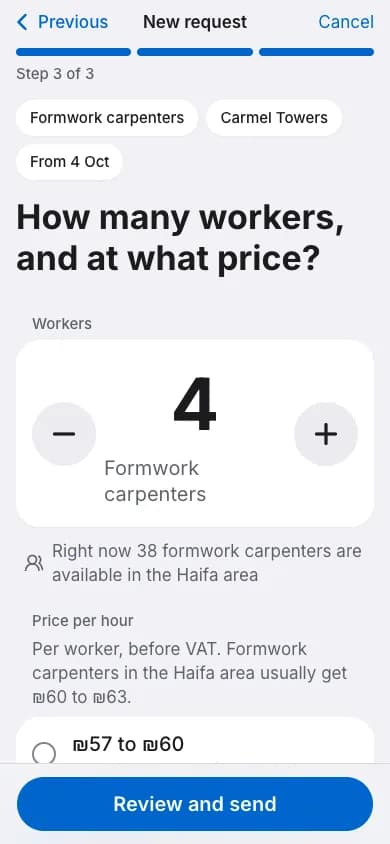
The contractor opens a request
The trade, how many workers, which site, from when and for how many weeks, and a price range an hour. The request goes at once to every corporation the contractor works with.
- Corporation, contractor and worker
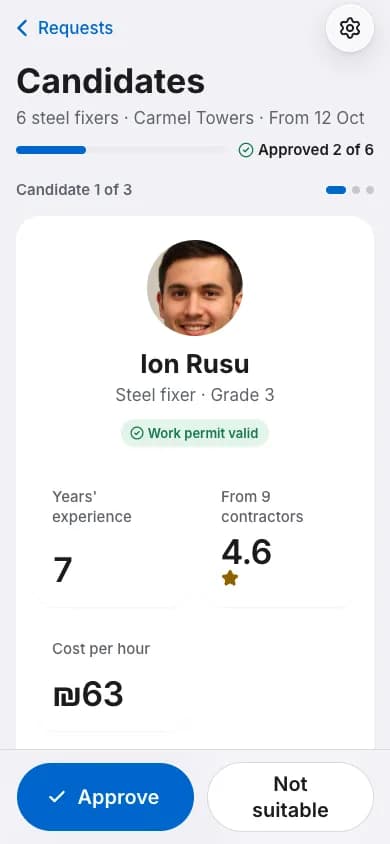
Candidates and a signed work order
The corporation proposes free workers, and the contractor approves the ones that fit. The worker accepts the job offer first, then the corporation manager signs the work order, and the contractor signs last.
- Worker
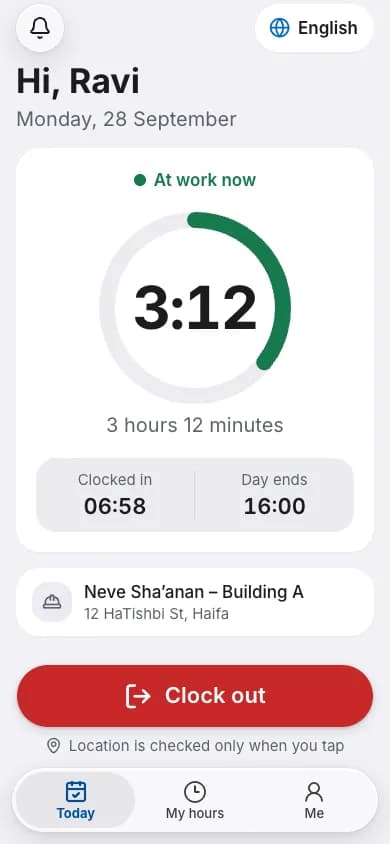
The worker clocks in
When he arrives at the site he taps Clock in on his phone, and Clock out at the end of the day.
- Site manager
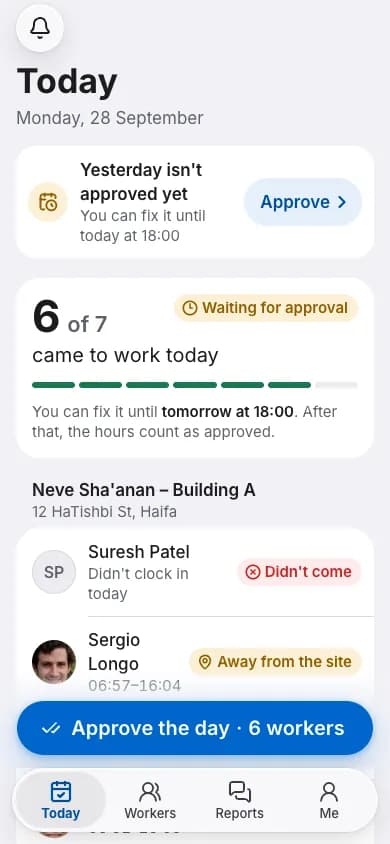
The site manager approves the day
The morning list shows who came and who did not, and he approves the day. Without reception he can still mark it, and the list stays on the phone until reception is back.
- Corporation and worker
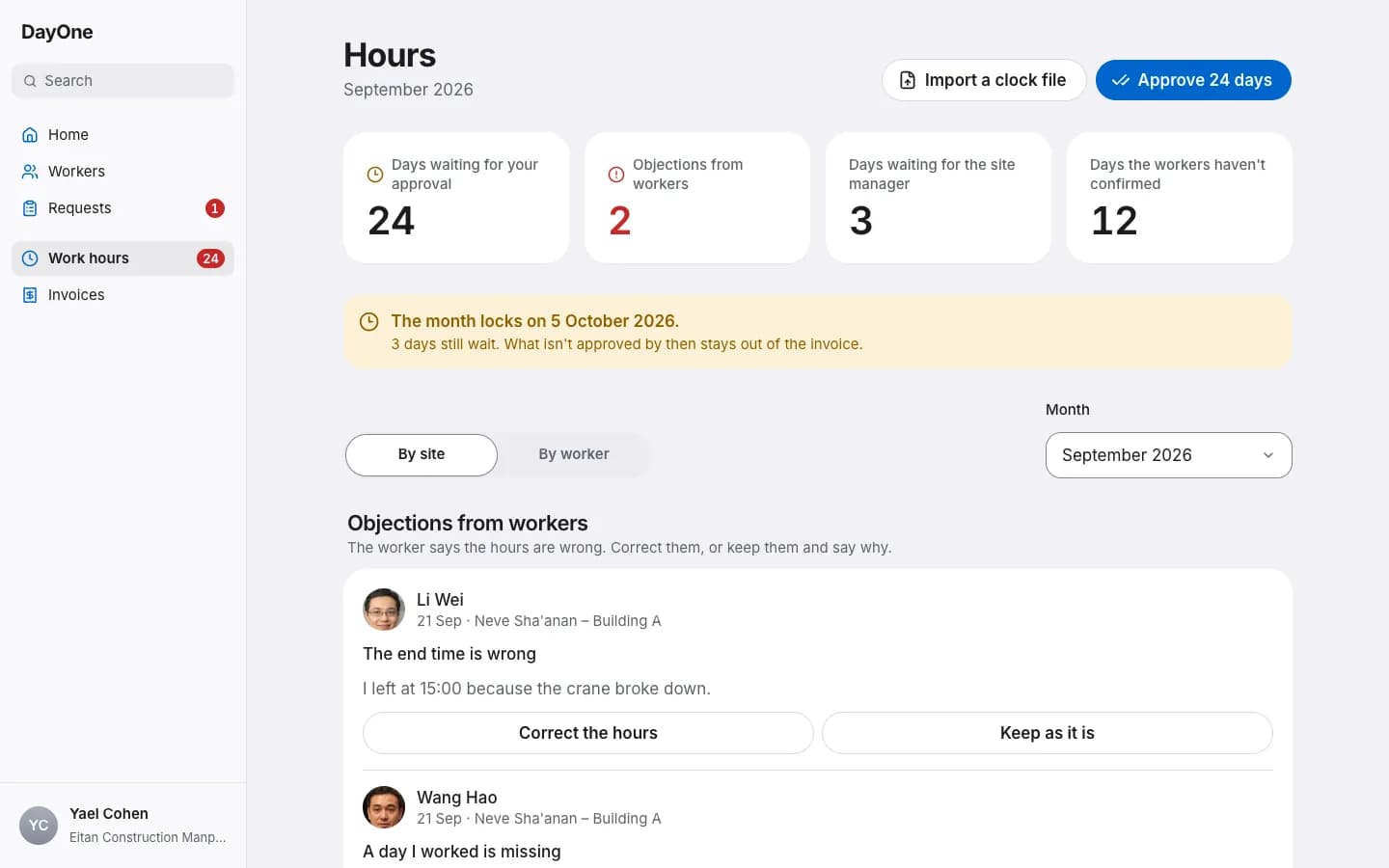
The hours are approved
The operations coordinator approves everything the site approved at once, or fixes a day and gives a reason. The worker confirms each day's hours on his phone, and if something is wrong he says what.
- Contractor and corporation
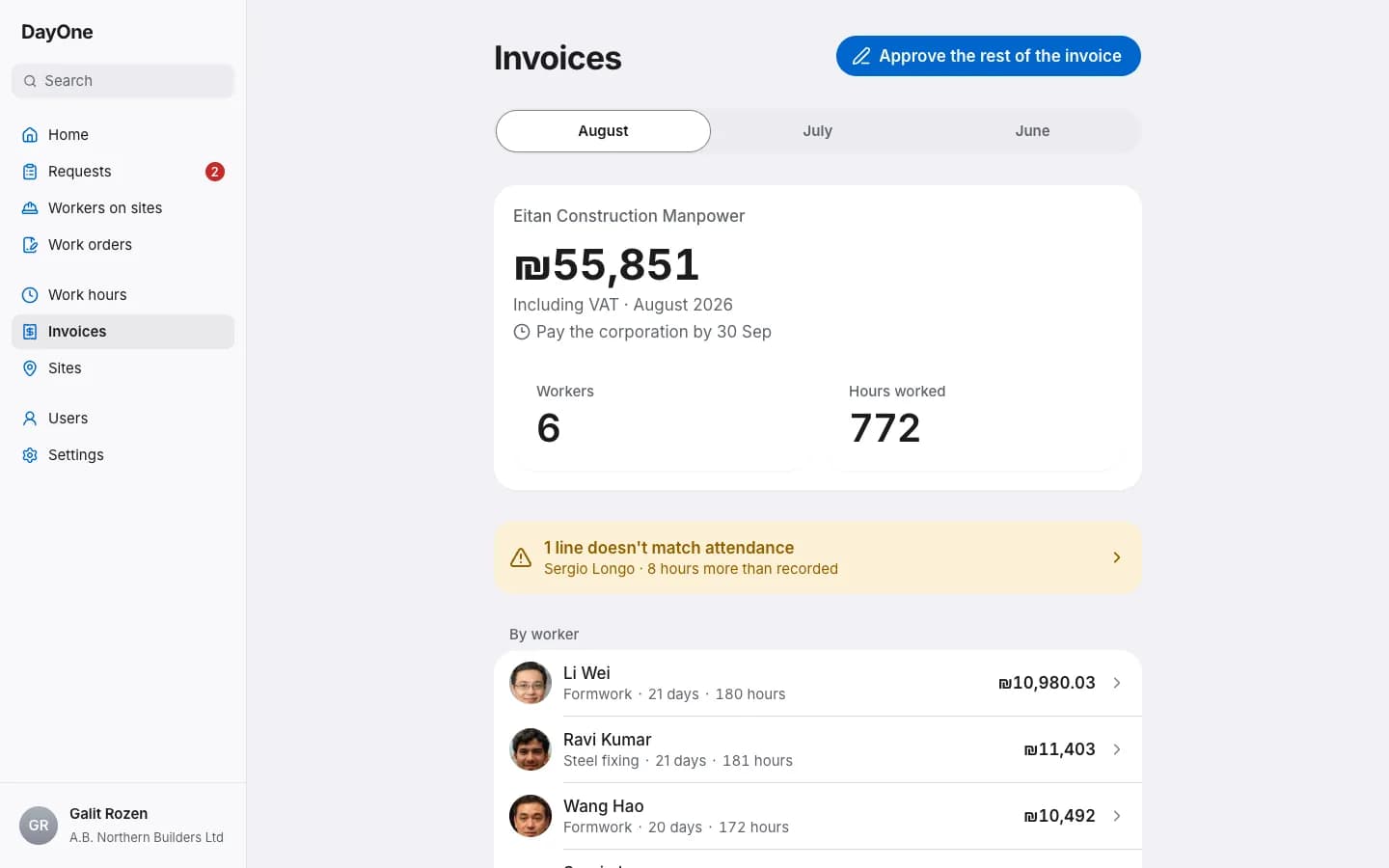
A monthly invoice, signed and paid
When the month locks, the invoice is built from the approved hours, a line for each worker and day. The contractor signs it or opens a dispute on a line, and the rest of the invoice goes on as usual. When the payment arrives, the corporation marks it paid.
The worker's phone
The worker gets an invitation on his phone and signs in with a code. From there he sees job offers, clocks in and out, and confirms his hours.
He accepts each job himself
The job offer states the pay, the housing and the job itself. Without his acceptance there is no placement.
Even without reception
Every tap is saved on the phone first and sent when there is reception, so a tap is never lost or counted twice.
His hours, with his confirmation
At the end of each day he sees when he clocked in and out, and confirms. His objection to a day goes to the corporation, not to the contractor.
Each side sees only what belongs to it
A worker's details stay with his corporation. Everyone else sees only what they need to do their work.
The contractor
Sees only workers proposed to him or working for him, with what he needs to choose: trade, experience and price an hour. Personal details, such as a passport number, he never sees.
The site manager
Sees the workers on his sites: name, photo and trade. Prices and invoices he does not see.
The worker
Sees only his own offers, jobs and hours.
The corporation
Sees only its own workers, and the corporation manager can see who viewed their details.
The DayOne team
To help a customer, the team can view the customer's account, read only and for a limited time. Every page opened is logged, and the customer's managers are told.
Register your company
Open an account and register your corporation or contracting company. The DayOne team checks the company and approves it.